
Introduction
This recipe is an example of a few things one can do with toolbars.
In the demo, the wxFrame method, CreateToolBar() is the only way demonstrated. In fact, wxFrame.CreateToolbar is a utility function for putting a toolbar on a frame. It just handles some of the geometry management for you, but it uses wxToolBar internally.
By using wxToolBar directly, you can manage its location yourself, just like any other Widget (sizers, etc.).
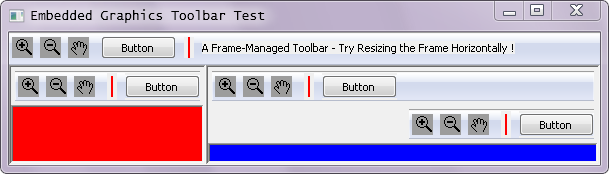
The following is a demo of a number of things that can be done with toolbars. When run from a console, it writes messages to indicate toolbar events
This includes:
- Having it managed by a frame: the most basic way of creating a toolbar
- Placing a toolbar in a wxPanel with a sizer so that you can have a custom panel with a toolbar attached, rather than a frame
Placing multiple toolbars in a Panel (could be done with a wxFrame as well)
Using a wxStaticBitmap on a toolbar: Create a custom toolbar button and/or separator appearance or if you want the identical appearance on all platforms.
- Making a set of buttons on a toolbar look similar to radio buttons. That is, only one appears as active at at time to indicate the "mode" that your app is currently in.
A few features in this demo that are not strictly about toolbars:
- A sizer layout of multiple panels on a frame
Using code generated by (the old version of) img2py.py to embed image data into Python code.
wxToolBar_Embedded_DEMO.py EmbeddedIconData.py
Comments
EmbeddingImagesInSource has much more user-friendly utilities than img2py.py called Images2PyFile.py and Images2PyFile_GUI.py to generate embedded graphics Python source code.
Here's a straight-forward text editor that incorporates a toolbar for the editor's most-used operations. It's embedded in a Panel subclass so that it's reusable.
EditorPanelWithToolbar_Demo.py
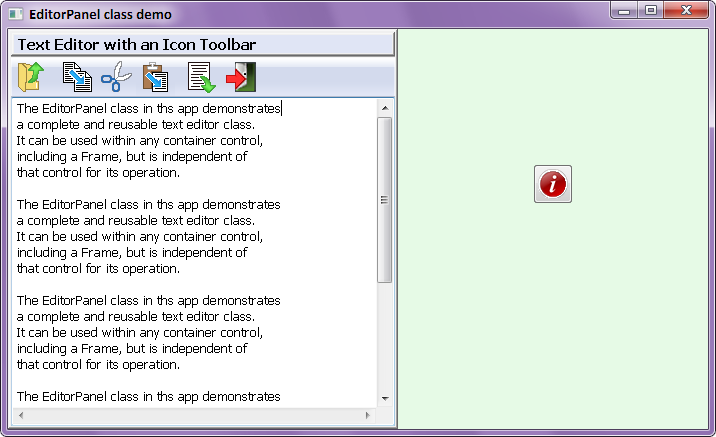
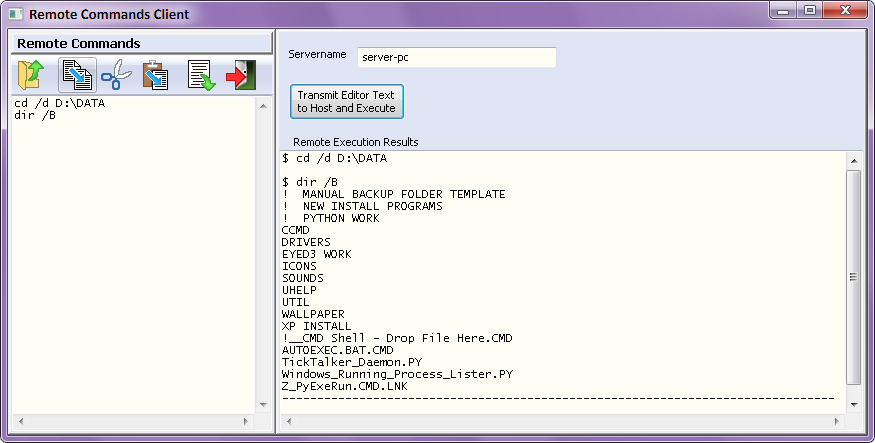
Here's the EditorPanel class used in a complete app:
- Ray Pasco
I've only tested this out on Linux with Python2.3 and a particular version of wxPython (2.4.2). If it doesn't work with your set-up, please let me know and I'll try to fix it. Better yet, fix it yourself, and post the fix here.
It would also be great if you have any nifty toolbar tricks, to add them to this demo.
NOTE: just updated for the new wx namespace.
-Chris
-It is also possible to add complex controls (e.g., wxChoice or wxSpinCtrl ) to a toolbar:
   1 #
   2 # ''self'' is a wxWindow derivative
   3 CHOICE=wx.NewId()
   4
   5 self.toolbar = self.CreateToolBar( wx.TB_TEXT | wx.TB_NOICONS, -1 )    # Create toolbar
   6 self.choice = wx.Choice( self.toolbar, CHOICE, (-1, -1), (-1, -1), [ "Yes", "No", "Maybe" ] )
   7
   8 # Add Choice box, its parent is the toolbar, with default position and size
   9
  10 self.toolbar.AddControl( self.choice )    # Append Choice box to toolbar
  11 wx.EVT_CHOICE( self, CHOICE, self.OnChoice )     # Connect Choice box event to a function
This also allows you to access their values via "self.control.GetValue()" or "self.control.GetSelection()".
--Jacob Garcia, Aug. 15, 2004